Performance
The screen you play from. Large touch targets for record and the looper, the tempo, input levels, and the Strings panel, which lights up with whatever you're playing.
DataRail Violin Cortex Console is a touchscreen console built around one rig: an NS Design WAV-4 electric violin playing into a Neural DSP Nano Cortex. The Cortex stays the tone engine. The console sits beside it. It's built to record every take twice, dry and processed, to loop against a sample-accurate bar clock, to read the dry signal to tune and review your playing, to teach the positions, the scales that live in them and a tune, scoring every note as you play it, and — new in 0.4.0 — to colour the loop you have built while what you play over it stays exactly as the Cortex made it. Below it runs on a Lenovo Legion Go 2.
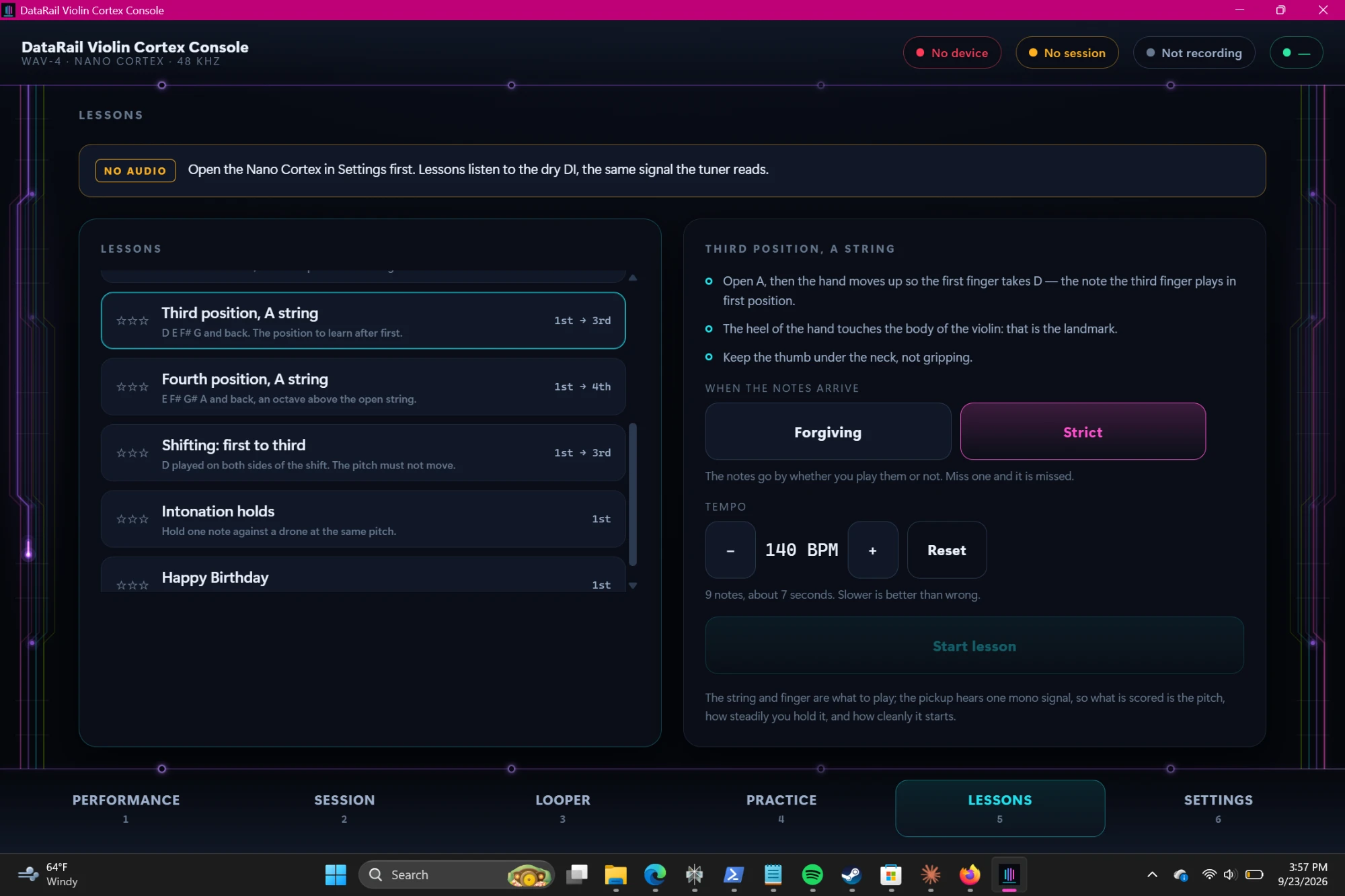
Two views. The video is a walk through version 0.2.0 on the Legion Go 2 with the violin plugged in — the rig, then each screen; pick a chapter to jump straight to it. The still is the Lessons tab that version 0.3.0 adds.
Filmed on a phone in September 2026: version 0.2.0 on a Legion Go 2, with the Nano Cortex connected over WASAPI. It starts muted; turn the sound on in the player to hear the violin.
Your live sound never passes through the console. It takes two copies of every note from the Cortex over USB: the untouched pickup signal and the finished tone.
Why no software monitoring? The Cortex already sends its tone straight to your speakers or headphones. Routing that sound through the computer as well would add delay and a second copy of every note. So the console records, loops and analyses, and leaves live monitoring to the Cortex.
The screen you play from. Large touch targets for record and the looper, the tempo, input levels, and the Strings panel, which lights up with whatever you're playing.
Every take is recorded twice from the same instant: the dry pickup signal and the Cortex's processed stereo, saved as a linked pair. The dry copy can be put through a different tone later. Windows splits the Cortex into two stereo devices; the console opens both and joins them, so all four channels arrive together.
One processed-stereo track, free-running or locked to 4/4 bars. Record, overdub, and one step of undo and redo. Actions wait for the bar line, so loops close exactly in time.
A tuner that reads the dry signal, so effects never throw it off. After each take you get a short review: range, intonation, sustain, timing and levels.
Ten of them, from open strings to fourth position, a first-to-third shift, and Happy Birthday. The notes fall down the lane of the string they are written for and are scored as you play them: the pitch, how steadily you hold it, how cleanly it starts, and whether you hold it for its written length. Forgiving mode waits at the line for a note you haven't played yet; Strict lets it go by.
The Cortex makes your tone and keeps it — there is no amp, no cabinet and no drive here. What the Cortex never sees is the loop, which leaves the console for its outputs without passing through its processing. So that is what these touch: EQ and compression to hold a stack of overdubs together, a delay written in note values that stays locked to the looper's own clock, reverb to put the bed behind you, a ducker that dips it under whatever you are playing, and width to leave the middle free. Applied on the way out, so nothing recorded is changed and a reverb can be swapped while the loop it colours plays.
The circuit lines you can see down the edges of this page are the datarail.org circuit field. In the console they become the violin's four strings. Here they're recoloured to match.
The video comes from the console's first sessions on real hardware. Here is what they proved, what has been fixed since, and what comes next.
The console is in private development. For questions, a closer look, or to talk about a rig of your own, get in touch.
contact@datarail.org