Buy minutes once. Spend them only while the meter runs.
TimeGate is DataRail's prepaid time system. People pay through Stripe or
Square and the minutes land on their account. They spend them on a device that
stays locked until someone starts a session on it, or inside a datarail service
that only answers during a paid session. An admin sets what a minute costs, and the server,
not the device, keeps the time. It tunes itself to the hardware it runs on, from a Legion
Go to a Surface to a PS5 on the TV.
Money and time travel on separate rails. The processor confirms a payment to the server
directly, the server credits the minutes exactly once, and a gate stays open only while the
server keeps hearing from the session.
Amber is money, cyan is time. The processor's signed message to the server is the only
thing that adds minutes. A session is billed from its start to the last time the device
checked in, and a device that stops hearing from the server locks itself within 90 seconds.
Gates
Two kinds of gate, one balance
Everything a person buys goes into one balance of minutes. An admin decides which gates
exist and how fast each one spends time, so an hour on one can cost more than an hour on
another.
Device gate
A machine that stays locked until you start
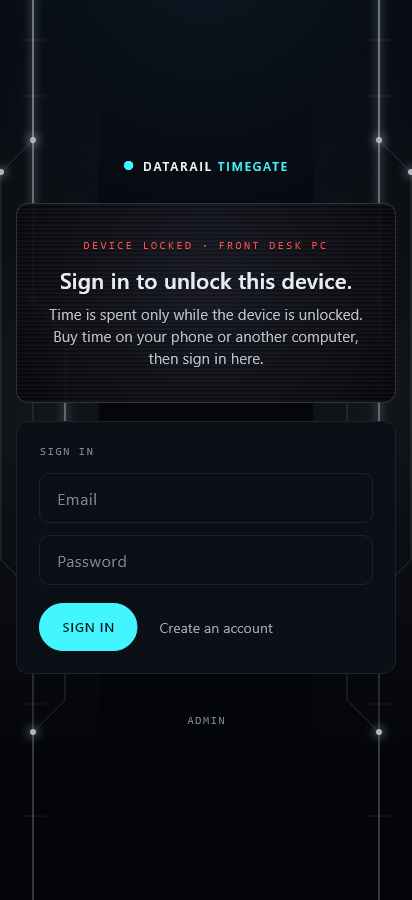
An enrolled Windows, Linux or Android device boots into a lock screen. Someone signs in
and starts a session; the screen opens and a small meter stays on top. When they stop,
run out, or the connection goes quiet for 90 seconds, it locks again and signs them out.
On Android set up as a dedicated device, the operating system holds the
lock. On Windows and Linux the app pairs with the system's own kiosk mode.
Service gate
A datarail app that answers only while you're paid up
A datarail service, named by the same app id the Library uses (Harvest, GhostSignal, and
so on), asks TimeGate before it answers. The person's app carries a
gate token for the running session; the service checks it with its own
credential and gets back yes or no, and how much time is left.
A passing check keeps the session billed. A token for a different app is refused
without touching the session it belongs to.
Devices
Tuned for the hardware it runs on
The same app sizes, steers and animates itself differently on a handheld, a tablet and a
TV across the room. Settings → Device picks the profile, or reads it from the machine's own
model string, and a diagnostics check tests the device against it.
Each profile changes size, input and motion together. With a controller, the D-pad or left
stick moves, A selects, B goes back and the bumpers change tab; on a TV, A in a text field
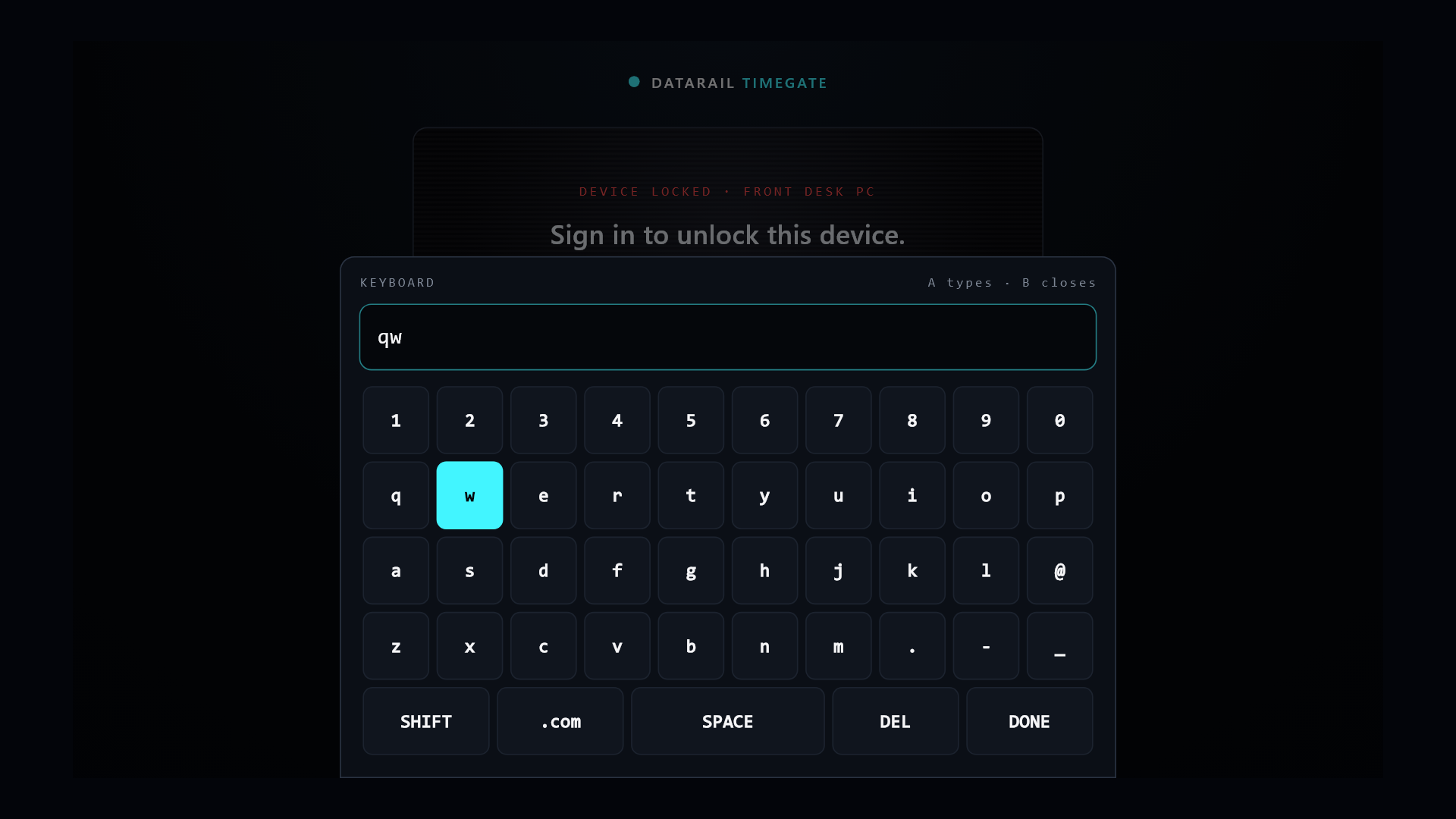
opens an on-screen keyboard, so a kiosk can be signed into with only a DualSense.
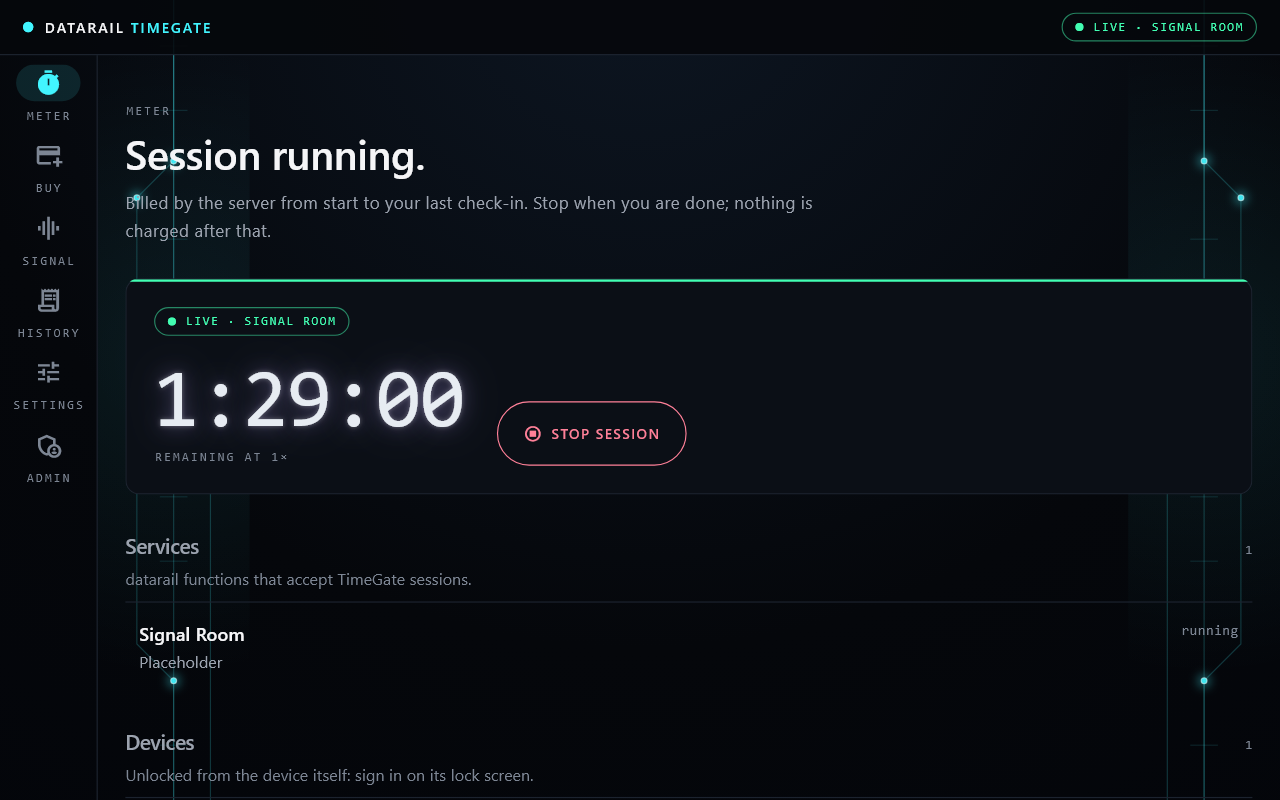
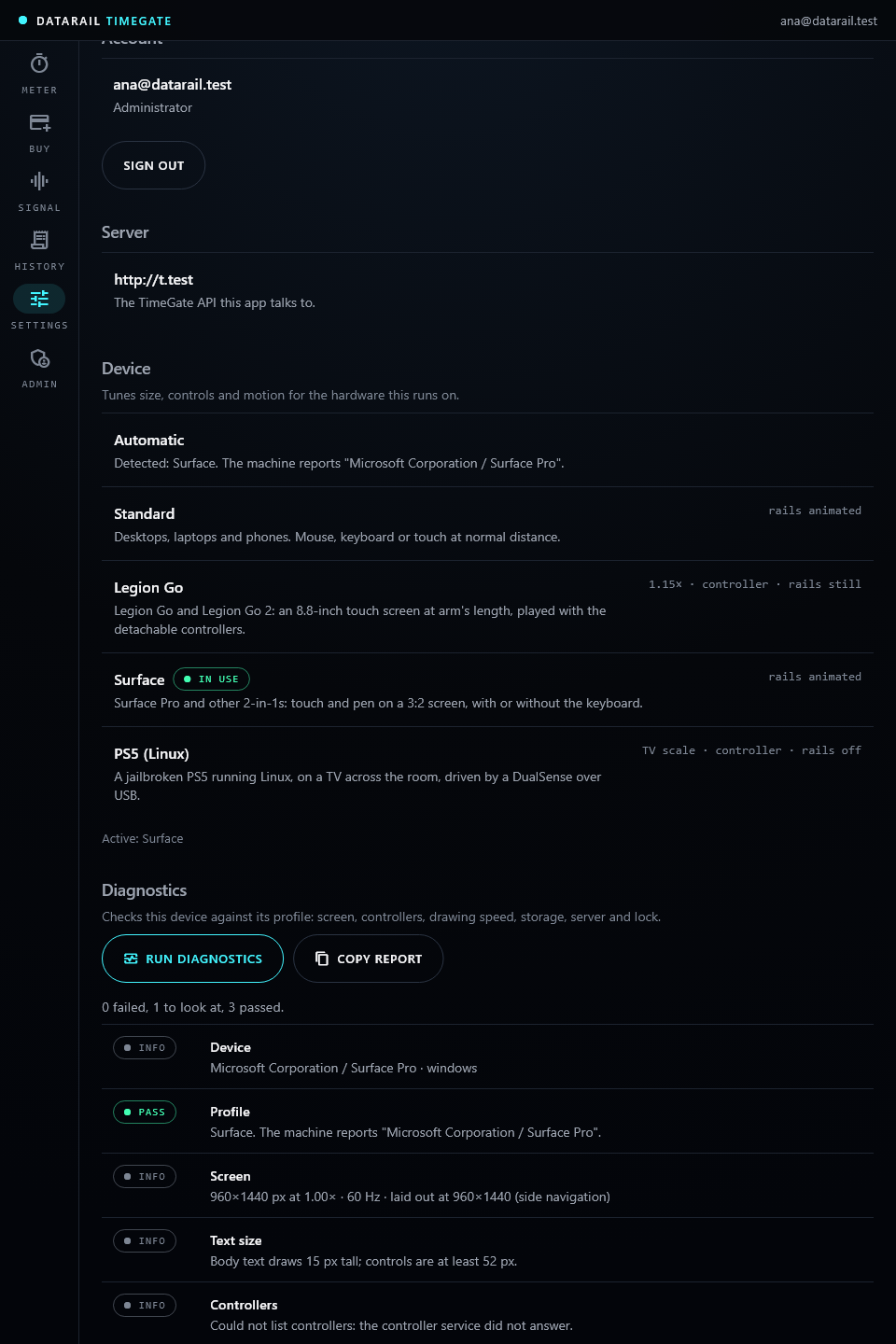
Legion Go. The meter at 1.15×, with the rails held still to save battery.Surface, upright. Settings → Device, the profile detected from the model string, and a diagnostics run.PS5 on a TV. Signing in to a kiosk with only a DualSense, through the on-screen keyboard.
About the PS5. Linux runs on a jailbroken PS5 only on firmware 13.60 or
older, and restarting the console boots the PS5's own system. So on a PS5 a locked device
holds only until someone restarts it; it is best as a member app on the TV and for datarail
services. The profiles are tested at each device's screen size, not yet on the hardware.
Use cases
What it's for
Anywhere time is the thing being sold, and the place selling it shouldn't have to stand there with a stopwatch.
01 · DEVICEComputers by the minuteA library, makerspace or café lends a PC that unlocks for whoever has time on their account, and locks the moment it runs out.
02 · DEVICETablets and phones on loanAndroid devices set up as kiosks, so the operating system keeps people at the lock screen until they start a session.
03 · SERVICEPay as you go, no membershipTry a members-only datarail feature, such as the Harvest live dashboard, for an hour instead of joining for a month.
04 · SERVICETimed play at eventsSell play time at the door for a GhostSignal hunt or a pop-up station. Every session stops when its time is up.
Guarantees
Rules the server keeps
Each of these is held by the server and its database, and each has tests that try to break it.
Only the processor's signed word adds time.The browser coming back from checkout never does, and neither does anything the app claims.
A payment is credited once.However many times the processor calls, and in whatever order its messages arrive.
The price is fixed when you start paying.Changing prices later never touches time already bought or already quoted.
Only the server's clock counts.Time is billed to the device's last check-in. Silence is never billed, and changing the device's clock changes nothing.
Devices fail closed.A device that stops hearing from the server locks itself within 90 seconds, even with no connection.
History is never edited.The ledger and the admin log only grow. A correction is a new entry, with the admin's reason attached.
The app
One app for members, admins and kiosks
Built with Flutter for Windows, Linux and Android, in the same style as this site, circuit
rails included. Members buy time and run sessions; admins set prices, gates and devices;
an enrolled device boots straight into its lock screen.
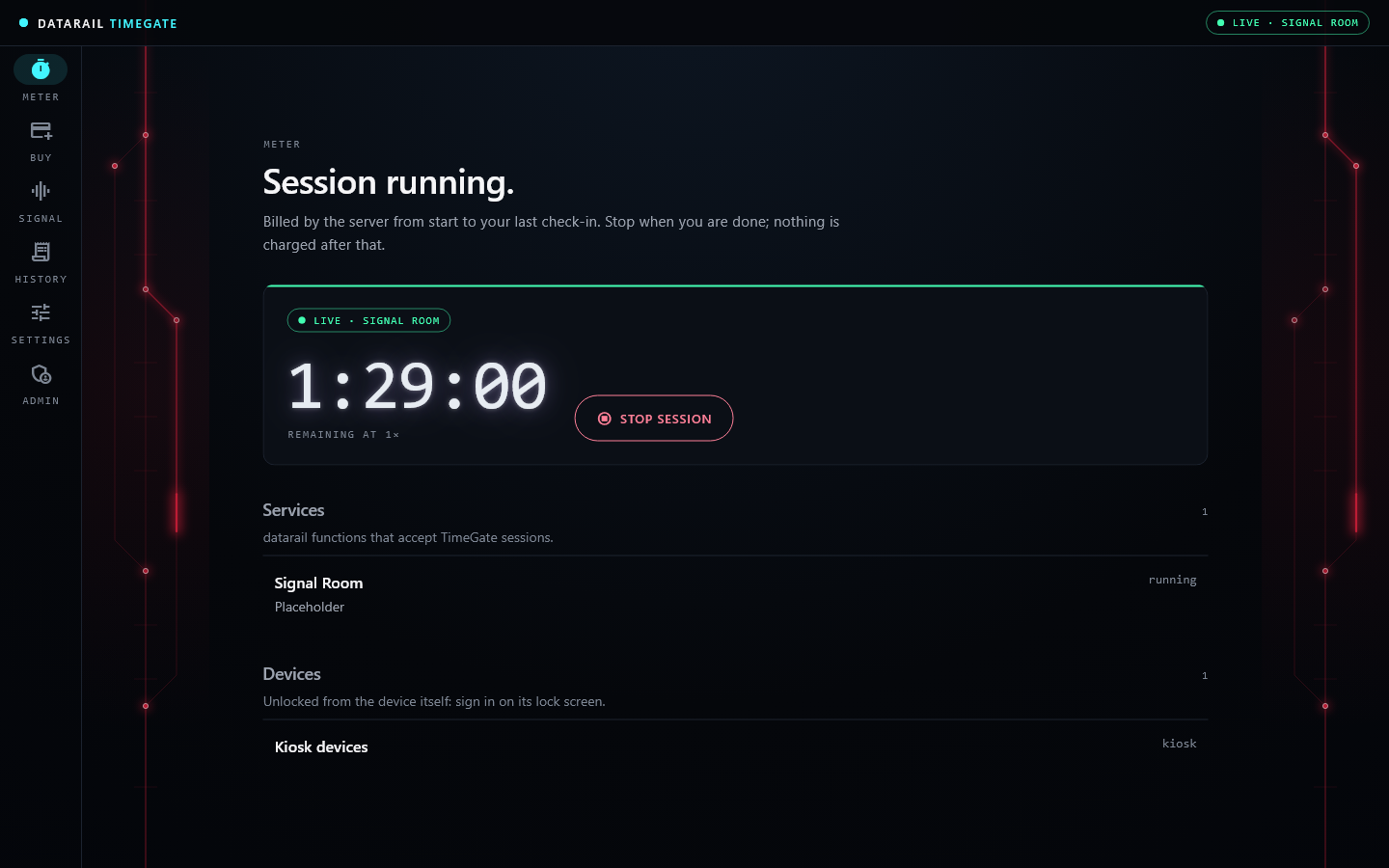
A live session on desktop. The meter counts down between check-ins; the server's figure is the one that's billed.A device gate, locked until someone signs in.
Specs
What it's built from
Server
Language
TypeScript on Node.js, with Fastify
Database
PostgreSQL; an append-only ledger with every balance checked against it
Admin
Prices, packages, gates, devices, refunds flagged for review, a searchable audit log
Tests
99, run against a real PostgreSQL
Payments
Processors
Stripe Checkout and Square payment links, each switched on by an admin
Confirmation
Signed webhooks, verified on the server; card details never reach it
Safety nets
Re-checks with the processor when a webhook is late; a fake processor for development only
App
Toolkit
Flutter
Platforms
Windows, Linux, Android, with profiles for the Legion Go, Surface and a PS5 running Linux
Input
Touch, pen, keyboard and game controllers; an on-screen keyboard for controller-only use
Locking
Android lock task as the device owner; a full-screen kiosk window on desktop
Tests
41, including the whole kiosk cycle and every screen on each device's screen
Metering
Clock
The server's, never the device's
Check-ins
Every 30 seconds
Lease
90 seconds; after that the device locks itself
Billing
Whole seconds, from start to the last check-in
Status
Where it stands
In development. The server, the app and their tests are built, the app is tuned for the
Legion Go, Surface and a PS5 running Linux, and it has not taken a real payment yet. Before it does: a full run through each processor's test mode, a refund policy,
and a decision on how the Android app is distributed, because Google Play has its own rules
for selling digital time.